More 5-star reviews, one text at a time.
Paste your customers, tap send. Each gets a friendly text with your review link.
Free account, nothing to pay. Skool members log in with their Skool email. Skool member login
 Birdeye
 Podium
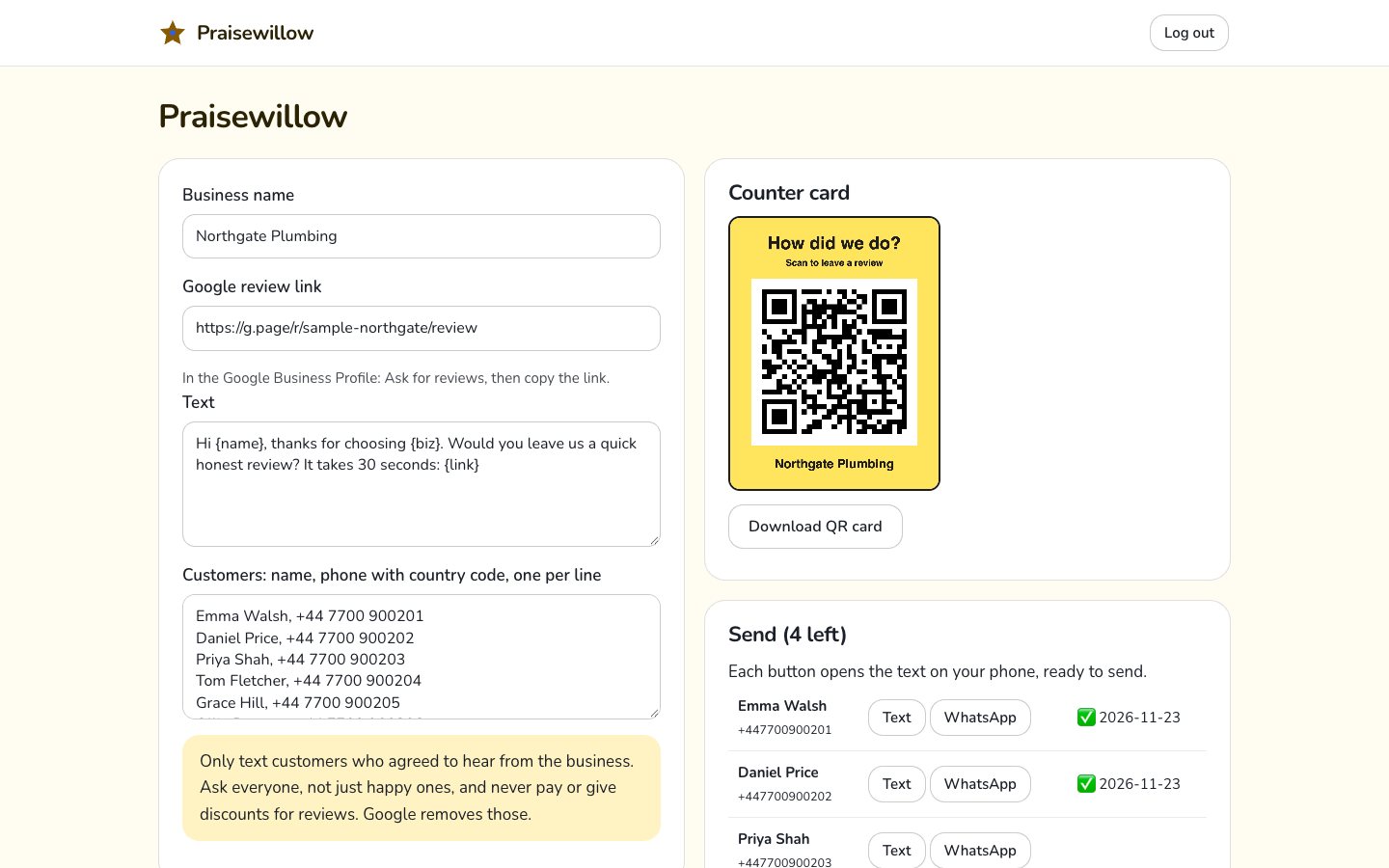
A real screen of Review Request HQ. Northgate Plumbing is a sample business with sample data.
Works with
- Google reviews
- SMS from your phone
- QR code counter card
- Any phone
How it works
Up and running in three steps
1Log in and paste the Google review link.
 2
Add the customers who agreed to hear from you.
 3
Tap Text or WhatsApp on each one. Your phone opens with the message ready.
A closer look
Everything in one place
Your link, your words, your customers
Paste the Google review link, write the text once and add your customers, one per line. The counter card is made beside it.
- {name}, {biz} and {link} filled in
- Name and phone per line
- Counter card made for you
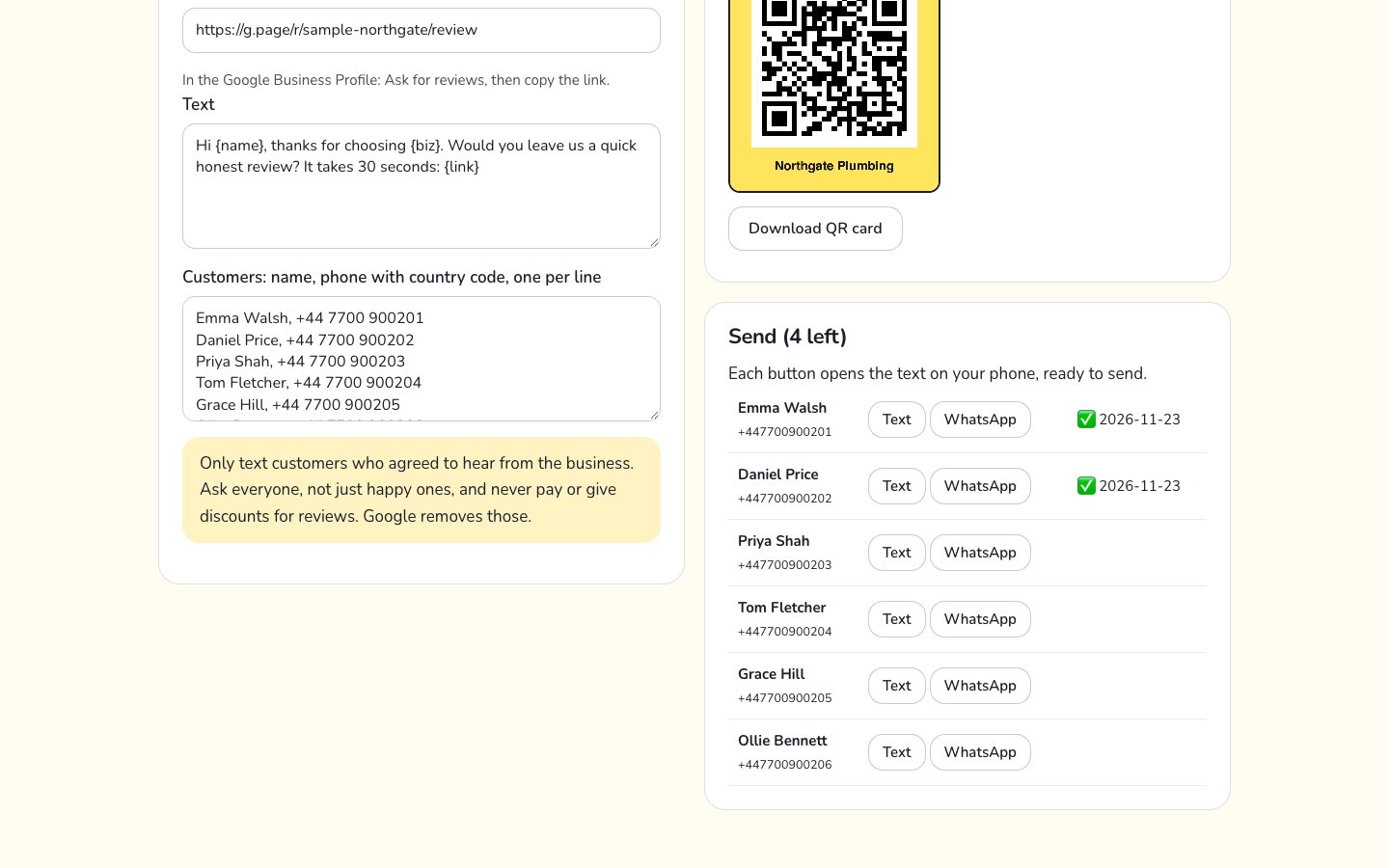
Tap, send, next
Each customer has a Text and a WhatsApp button. Your phone opens with their message ready. The date you sent it is kept.
- Sent from your own number
- Count of who's left
- No message credits to buy
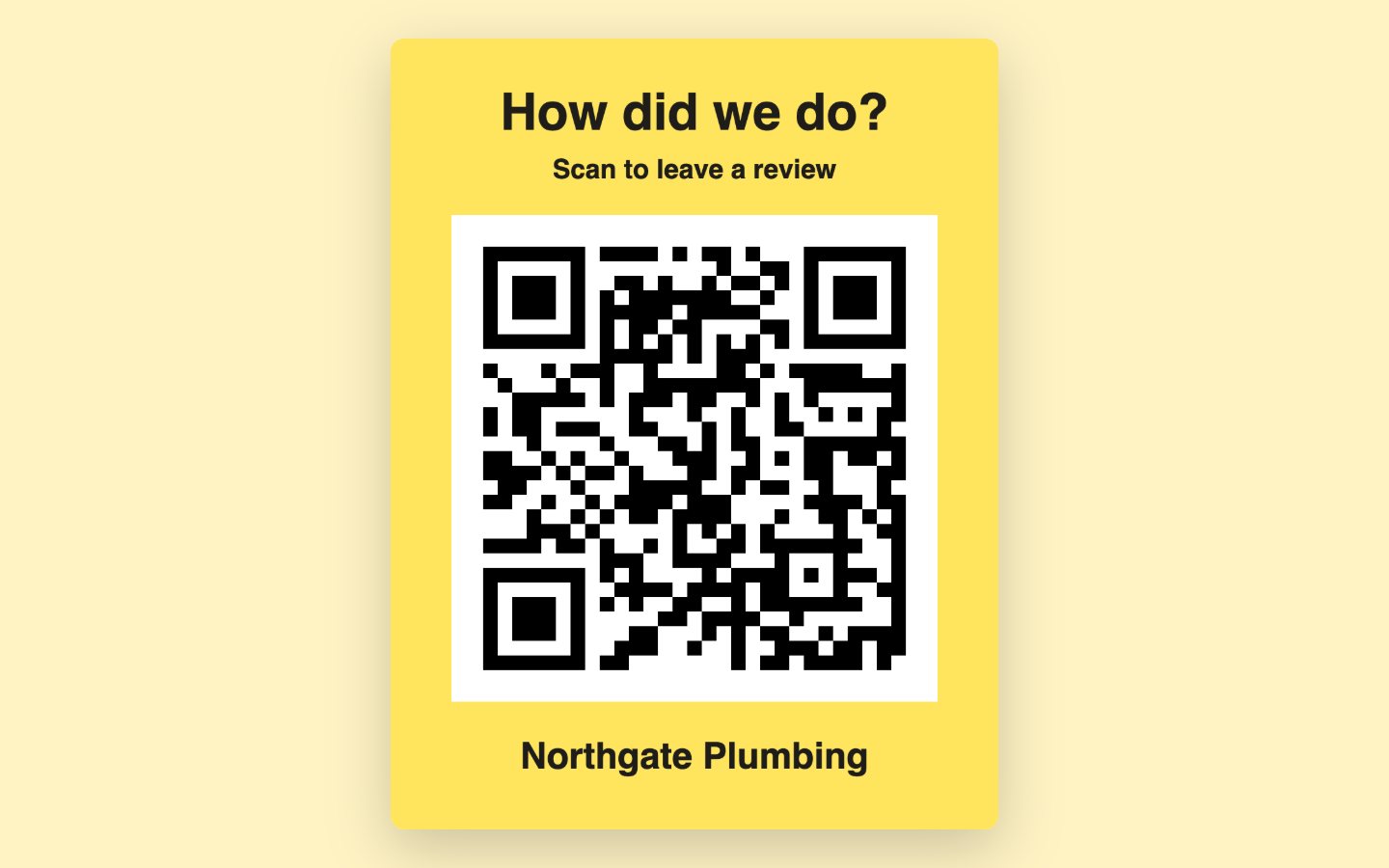
A QR code for the till
Download a printable card that says How did we do? Customers scan it and land on your review page.
- Your business name on it
- Print it or put it on a screen
- Points to your Google link
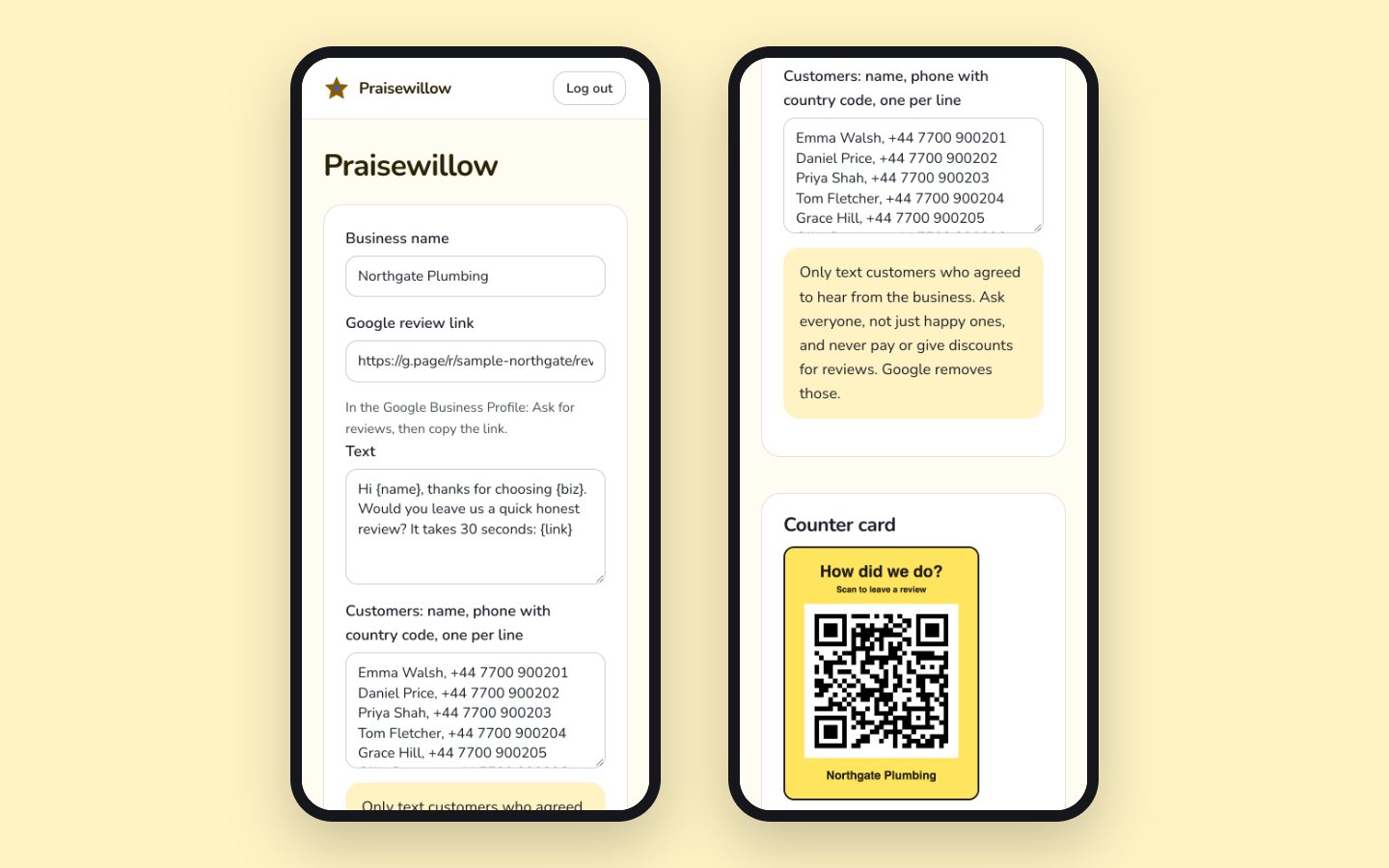
Made for the phone in your pocket
Open it on your phone after a job and send the text before you drive off.
- Same list on every device
- Texts open in your messages app
- Nothing to install
Real screens of Review Request HQ. Northgate Plumbing is a sample business with sample data.
Included
Everything you get
Google review link
Paste it once from the Google Business Profile.
Your message
Written in your words, filled in per customer.
SMS button
Opens your messages app with the text ready.
WhatsApp button
Opens WhatsApp with the text ready.
Sent dates
See who you asked and when.
QR counter card
Download it as a picture and print it.
Fair-use reminder
Ask everyone, never only happy customers, never pay.
Saved to your account
Pick up where you left off on any device.
One account
One of 29 products. All free to start.
One account opens Review Request HQ and every other product. These 15 you can even sell under your own name.
Who it's for
Made for people who sell to small businesses
Trades
Ask for the review while the customer is still smiling at the new boiler.
Clinics and salons
Card on the counter, text after the visit.
Agencies
Run review requests for every local client.
Restaurants
QR card on the table.
Pricing
Free to use. No catch.
What it normally costs. Price from their own page, November 2026.
BirdeyePodiumMake an account with your email and use it. No card. Want help selling it? Skool members ($29/month) get the community, lessons and Yar's help.
Start freeJoin the Skool groupTrust
Our own software. Your data stays yours.
Review Request HQ is our own software. It doesn't send anything for you: it opens your own messages app with the text ready, so there's nothing to pay per message.
How we look after your data- Your own account, nobody else's
- Encrypted connection on every page
- No ads, no selling data
- Saved to your account, on any device
A note from Yar
I run Build AI Business with Claude on Skool. We built Review Request HQ ourselves for members who sell simple services to local businesses: it does one job, does it well, and is part of the one membership price.
If something's broken or missing, message me on Skool and I'll look at it.
Questions
Good to know
Something else? Message Yar on Skool.
Who can log in?
Anyone. Make a free account with your email and a password. In our paid Claude or AI video group on Skool? Pick “Skool member” and use your Skool email.
Is one login enough?
Yes. The same email and password work on every one of our products.
Where does it run?
In your browser. Log in and it's ready, nothing to install. What you type is saved to your account on our members server, so it's there on any device.
Does it send texts for me?
No. Each button opens your phone's messages app or WhatsApp with the text ready. You press send.
Who can I text?
Only customers who agreed to hear from the business.
Can I ask only happy customers?
No. Google removes reviews that were filtered or paid for. Ask everyone, and never offer a discount for a review.
Where do I find the review link?
In the Google Business Profile: Ask for reviews, then copy the link.
Can I sell this to clients?
Yes. Use it for your own business or do the work for clients and charge them.
More 5-star reviews, one text at a time.
Paste your customers, tap send. Each gets a friendly text with your review link.